
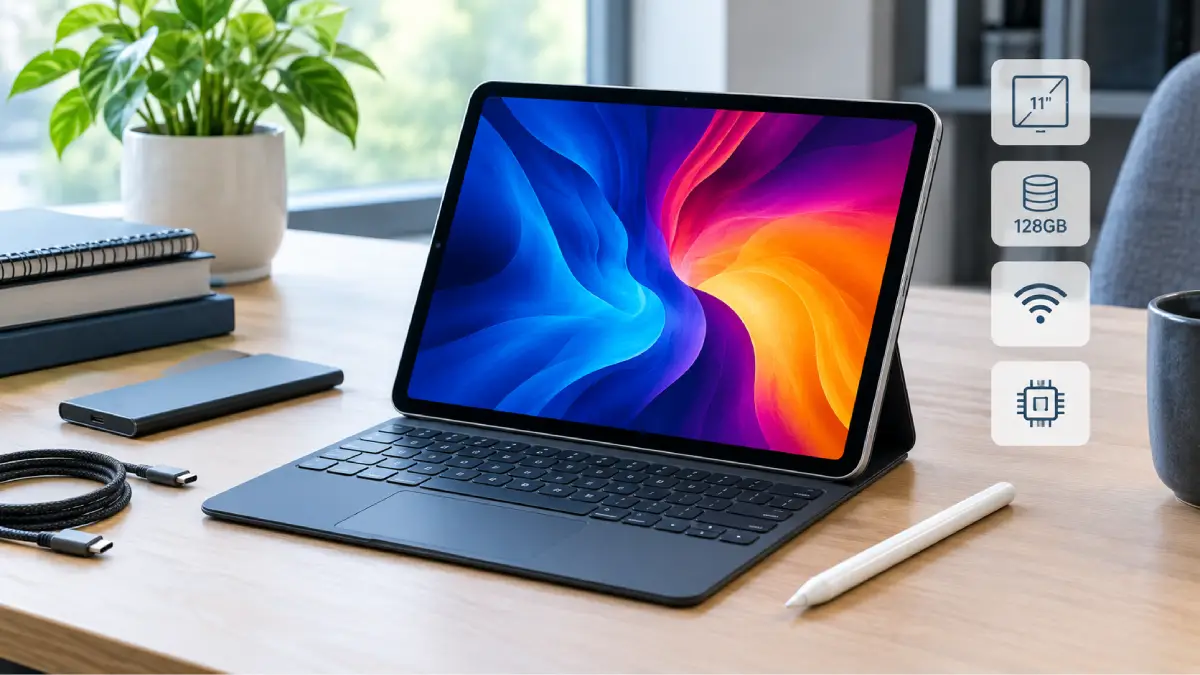
If you want the Apple iPad Pro 3rd generation 11-inch 128GB Wi-Fi you are likely to be after a particular spec of the Cupertino company’s 2021 iPad Pro not the newest refresh. It is a motivating device because Apple has piled its M1 chip into the iPad Pro but it makes a compelling product that gets you the 11-inch dimension without the mastodon-style 12.9-inch design.
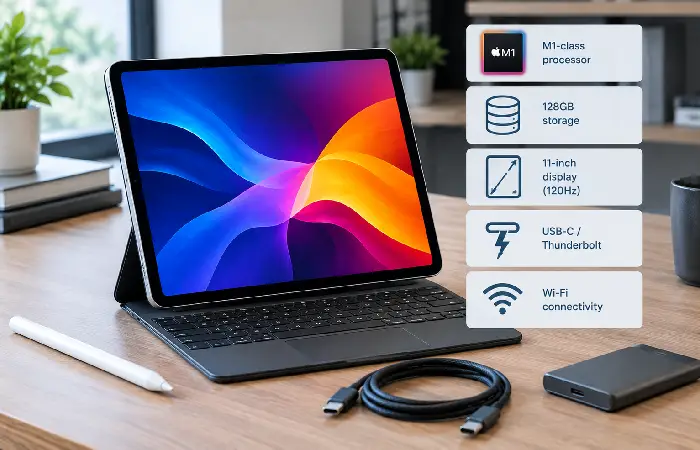
The 128GB Wi-Fi version is also one of the simpler ones to get your head around: it has 128GB of onboard storage, Wi-Fi connectivity, and 8GB of RAM with the M1 chip, and Apple lists it as compatible with iPadOS 26, so just because it’s older, it doesn’t necessarily mean it’s obsolete.
But purchasing a previous generation high-end tablet slightly different, compared to buying a current flagship. Availability, price and condition can all vary significantly, especially if you’re thinking about a secondhand or refurbished one.
Here we’ll cover what this does and does not offer at a good value, when it’s still worth shopping for one, and what to watch for when you do.
Table of Contents
What Is the Apple iPad Pro 3rd Generation 11-inch 128GB Wi-Fi?
The iPad Pro 11-inch 3rd generation was introduced in 2021. It belongs to the generation that brought the Apple M1 chip to the iPad Pro family.
The particular model covered here combines:
- 11-inch Liquid Retina display
- 128GB storage
- Wi-Fi 6
- Apple M1 chip
- 8GB RAM
- Face ID
- Four-speaker audio
- Thunderbolt/USB 4
- 12MP wide rear camera
- 10MP Ultra Wide rear camera
- 12MP Ultra Wide TrueDepth front camera
- Apple Pencil support
According to its hardware specs, the 128GB model is the base storage for the current gen of the device, which scales up to 256GB, 512GB, 1TB and 2TB. The first three have 8GB of RAM, while the other two offer 16GB.
The Wi-Fi designation is also important. This particular configuration does not provide the cellular hardware found in the Wi-Fi + Cellular versions. If you need mobile data without a phone hotspot, you should specifically look for a cellular model.
Apple iPad Pro 11-inch 3rd Generation Specifications
| Specification | iPad Pro 11-inch 3rd Generation 128GB Wi-Fi |
| Release generation | 3rd generation |
| Year | 2021 |
| Display | 11-inch Liquid Retina |
| Resolution | 2388 × 1668 |
| Refresh technology | ProMotion |
| Processor | Apple M1 |
| RAM | 8GB |
| Storage | 128GB |
| Wireless | Wi-Fi 6 |
| Bluetooth | Bluetooth 5.0 |
| Rear cameras | 12MP Wide + 10MP Ultra Wide |
| Front camera | 12MP Ultra Wide TrueDepth |
| Authentication | Face ID |
| Port | Thunderbolt / USB 4 |
| Speakers | Four-speaker audio |
| Apple Pencil | Apple Pencil 2nd generation and Apple Pencil USB-C |
| Battery rating | Up to 10 hours Wi-Fi web browsing/video |
| Wi-Fi weight | 466g |
| Thickness | 5.9mm |
These specifications are based on Apple’s technical documentation for the third-generation 11-inch iPad Pro.
Display and Design
One of the biggest reasons to consider the iPad Pro rather than a basic iPad is its display.
The 11-inch model uses a Liquid Retina LED-backlit display with a resolution of 2388 × 1668 pixels at 264 pixels per inch. It also supports ProMotion, P3 wide colour, True Tone and an antireflective coating. Apple rates its SDR brightness at up to 600 nits.
For everyday use, this means the screen is well suited to:
- Web browsing
- Video streaming
- Photo editing
- Drawing
- Note-taking
- Document work
- Gaming
- Reading
- Multitasking
The 11-inch size is a useful middle ground. It is substantially more spacious than a phone but remains easier to carry than a larger 12.9-inch or 13-inch tablet.
The Wi-Fi version weighs about 466 grams, while its thickness is just 5.9mm.
Performance: How Good Is the M1 Chip?
The M1 is arguably the defining feature of this iPad Pro generation.
Apple’s M1 has an 8-core CPU, an 8-core GPU and a 16-core Neural Engine. The 128GB model includes 8GB of RAM.
For most tablet workloads, that is still substantial hardware.
You can use the device for:
- Office and productivity apps
- Large documents
- Multitasking
- Digital art
- Photo editing
- Video editing
- Music applications
- Gaming
- Research and study
- External-display workflows
The important point is that an M1 iPad Pro is not simply an old entry-level tablet. It was designed as a professional iPad and has hardware considerably more capable than what its age might initially suggest.
That does not mean it is equivalent to a current M-series iPad Pro in every respect. Newer generations offer newer processors, displays or other hardware improvements. But the M1 remains a significant strength of the third-generation model.
Is 128GB Enough?
This is probably the biggest decision point when considering this configuration.
128GB can be enough, but it depends heavily on how you use the iPad.
For browsing, email, streaming, note-taking, office documents and cloud storage, 128GB may be perfectly reasonable.
It becomes more restrictive if you regularly store:
- Large video projects
- RAW photographs
- Large game libraries
- Offline films
- Music libraries
- Professional design files
- Large collections of downloaded documents
Remember that advertised storage is not the same as free storage available to the user. The operating system and other data occupy part of the device’s capacity.
For a student who primarily uses cloud services, 128GB can be sensible. For a video editor who wants to keep large projects locally, a higher-capacity model is more attractive.
The best approach is therefore not to ask whether 128GB is universally enough, but whether it matches your personal storage habits.
Wi-Fi vs Wi-Fi + Cellular
The model in this article is the Wi-Fi-only version.
That means internet access normally comes through:
- Home Wi-Fi
- Office Wi-Fi
- School or university Wi-Fi
- Public Wi-Fi
- A phone hotspot
The Wi-Fi + Cellular models add mobile connectivity and were also offered with 5G. Apple’s specifications distinguish the Wi-Fi model from the cellular variants and list separate cellular hardware for those versions.
If you mostly use your iPad indoors or carry a smartphone, the Wi-Fi model may be the more practical choice.
If you travel frequently and want independent connectivity, a cellular iPad may be worth considering.
Cameras, Face ID and Audio
The rear camera system consists of a 12MP Wide camera and a 10MP Ultra Wide camera. The front uses a 12MP Ultra-Wide TrueDepth camera.
The rear system supports 4K video recording, while the front camera supports Apple’s Centre Stage feature.
The device also includes Face ID, allowing facial authentication for unlocking the iPad and authorising supported purchases and applications.
Audio is another area where the Pro branding has practical meaning. The tablet has four speakers and five studio-quality microphones, making it useful for video calls, media consumption and recording.
Apple Pencil and Keyboard Compatibility
The third-generation 11-inch iPad Pro supports the Apple Pencil (2nd generation) and Apple Pencil (USB-C), according to Apple’s current technical documentation.
That makes it suitable for:
- Handwritten notes
- Sketching
- Illustration
- Marking up PDFs
- Graphic design
- Digital planning
It also supports Apple’s Magic Keyboard and Smart Keyboard Folio accessories. Apple’s current accessory pages continue to list the 11-inch third-generation iPad Pro among compatible devices.
This is useful if you want the tablet to operate more like a lightweight laptop for writing and productivity.
Accessories are separate purchases, however, so the total cost of a keyboard-and-Pencil setup can be considerably higher than the tablet alone.
iPadOS Support in 2026
Software support is particularly important when buying an older Apple device.
The good news is that Apple’s compatibility documentation lists the iPad Pro 11-inch 3rd generation as compatible with iPadOS 26. Apple’s compatibility list includes the first-generation 11-inch Pro and later models.
That means buyers are not purchasing a device that has already fallen outside the current major iPadOS generation.
However, there is an important distinction between supporting an operating system and supporting every feature within it.
Apple states that some iPadOS features depend on the specific hardware, language and region. Apple Intelligence features also have hardware requirements. The M1 chip qualifies the third-generation iPad Pro for Apple’s Apple Intelligence hardware class, but individual features can still have additional requirements or availability restrictions.
So buyers should check the specific feature they care about rather than assuming every iPadOS 26 function works identically across all compatible iPads. For more related articles visit our website.
Who Is the 128GB Wi-Fi Model Best For?
The device makes the most sense for people who value performance and display quality but do not need cellular connectivity.
Students
The 11-inch screen, M1 processor, Apple Pencil compatibility and relatively low weight make it useful for studying, reading, writing and handwritten notes.
Professionals
The M1 chip provides plenty of performance for office work, multitasking and many creative workflows.
Creators
The display, Apple Pencil compatibility, cameras and M1 processor make it attractive for illustration, photography and video-related tasks.
Casual users
It can easily handle browsing, streaming and social apps, although buying an older Pro model may not always be the most economical option if those are your only requirements.
Pros and Cons
Pros
- Powerful M1 processor
- 8GB RAM on the 128GB configuration
- High-quality 11-inch ProMotion display
- Face ID
- Four-speaker audio
- Thunderbolt/USB 4 connectivity
- Apple Pencil support
- Good portability
- Current iPadOS 26 compatibility
Cons
- 128GB may be restrictive for large local files
- It is an older generation
- Used-unit battery condition can vary
- Newer iPad Pro generations offer newer hardware
- Wi-Fi model does not provide built-in mobile data
- Accessories can add substantially to the overall cost
Should You Buy One Used or Refurbished?
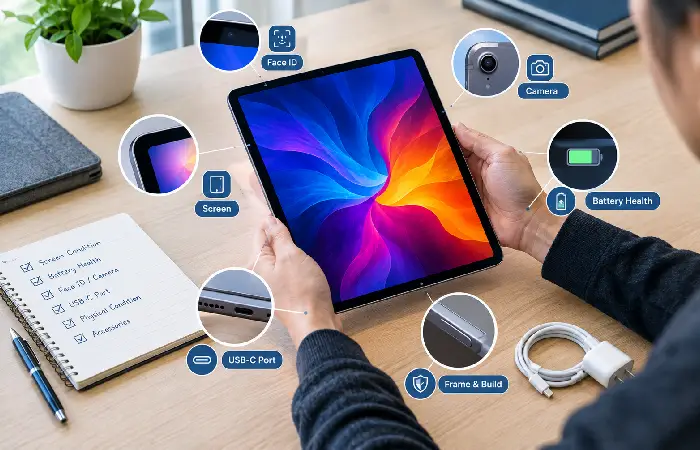
Because the iPad Pro 11-inch 3rd generation is a 2021 model, many available units today may be used or refurbished rather than new.
That changes the buying decision.
A used unit can potentially offer good value, but condition matters more than the specification sheet suggests.
Check the following before buying:
1. Battery condition
Ask about battery health where possible and look for unexpected shutdowns, rapid battery drain or unusually slow charging.
2. Screen
Inspect the entire display for scratches, dead pixels, bright spots or touch problems.
3. Cameras
Test both front and rear cameras.
4. Face ID
Make sure Face ID works correctly.
5. USB-C/Thunderbolt port
Check that the port charges properly and recognises compatible accessories.
6. Speakers and microphones
Test audio and make a short recording.
7. Activation Lock
Make sure the previous owner has removed the device from their Apple Account and that you can activate it with your own account.
8. Physical damage
Check the frame, corners and rear panel for signs of significant drops or bending.
9. Storage
Confirm that the device is actually the 128GB model if that is what the seller advertised.
10. Model number
If buying second-hand, compare the device’s model information with Apple’s identification documentation rather than relying solely on a seller’s title.
Apple identifies the Wi-Fi 11-inch 3rd-generation model with model number A2377.
Is the Apple iPad Pro 3rd Generation 11-inch 128GB Wi-Fi Still Worth Buying?
There is no universal answer because the price matters enormously.
The hardware itself remains capable. The M1 chip, 8GB RAM, ProMotion display, Thunderbolt connection, Face ID and Pencil support give the device a strong feature set. Apple also continues to list the model as compatible with iPadOS 26.
The biggest reason to hesitate is not necessarily performance. It is value.
If a used third-generation iPad Pro costs almost as much as a newer iPad with a more recent processor and longer expected useful life, the newer model may make more sense.
On the other hand, if you find a well-maintained 128GB Wi-Fi model at a significantly lower price, its combination of M1 performance, ProMotion and professional connectivity can still make it compelling.
The 128GB capacity should also be considered carefully. A cheap iPad that constantly runs out of storage may become frustrating very quickly.
What Makes This Model Different From a Basic iPad?
The Pro designation is not simply a cosmetic label.
The third-generation 11-inch iPad Pro offers features such as:
- M1 processor
- ProMotion display
- Face ID
- Four-speaker audio
- Thunderbolt/USB 4
- More advanced camera hardware
- Five microphones
- Professional accessory support
Apple’s comparison documentation shows the third-generation 11-inch Pro’s combination of M1, ProMotion, Face ID, Thunderbolt/USB 4 and four-speaker audio.
For someone who only wants YouTube, web browsing and basic apps, those features may not justify paying extra.
For a creative professional, student or power user, they can make a much bigger difference.
Comparison Tables / Useful Lists
Quick Buying Decision
| Your situation | Is the 128GB Wi-Fi model suitable? |
| Web browsing and streaming | Yes |
| School/college work | Yes |
| Handwritten notes | Yes |
| Office productivity | Yes |
| Digital art | Yes |
| Photo editing | Yes |
| Heavy local video storage | Maybe not |
| Large offline media library | Maybe not |
| Need mobile data without hotspot | No |
| Want the newest Apple hardware | No |
| Want strong performance at a used price | Potentially |
128GB vs Higher Storage
| Storage | Best suited to |
| 128GB | Students, general users, cloud-focused workflows |
| 256GB | Regular creative work and larger app libraries |
| 512GB | Heavy creative workloads |
| 1TB/2TB | Professional users with substantial local storage needs |
FAQ’s
Is the Apple iPad Pro 3rd generation 11-inch 128GB Wi-Fi still supported?
Yes. Apple’s current compatibility documentation lists the 11-inch iPad Pro 3rd generation among devices compatible with iPadOS 26.
Does the 128GB iPad Pro 11-inch 3rd generation have the M1 chip?
Yes. The 128GB version uses Apple’s M1 chip and has 8GB RAM.
Is 128GB enough for an iPad Pro?
It can be enough for general use, studying, office work and cloud-based workflows. Users who store lots of videos, photos, games or professional files locally may benefit from more storage.
Does the iPad Pro 11-inch 3rd generation support Apple Pencil?
Yes. Apple lists support for Apple Pencil (2nd generation) and Apple Pencil (USB-C).
Does the iPad Pro 11-inch 3rd generation have Face ID?
Yes. The model uses Face ID through its TrueDepth camera system.
Does the 128GB Wi-Fi model support 5G?
No. The Wi-Fi model does not include cellular connectivity. The 5G functionality belongs to the Wi-Fi + Cellular variants.
Does the iPad Pro 11-inch 3rd generation have USB-C?
Yes. More specifically, it has a Thunderbolt/USB 4 port supporting charging, DisplayPort, Thunderbolt 3 and USB 4.
Is the iPad Pro 11-inch 3rd generation worth buying used?
It can be, particularly when priced appropriately. Check battery condition, screen, Face ID, cameras, ports, Activation Lock and physical condition before purchasing.
Final Verdict
The Apple iPad Pro 3rd generation 11-inch 128GB Wi-Fi is an older iPad Pro, but its age should not be confused with low capability.
Its M1 chip, 8GB RAM, ProMotion display, Face ID, Thunderbolt/USB 4, Apple Pencil support and four-speaker system still make it a capable tablet. Apple’s current documentation also confirms compatibility with iPadOS 26.
The main questions for a potential buyer are therefore price, condition and storage.
If you need a powerful portable tablet and find a good-condition unit at an appropriate price, the 128GB Wi-Fi version can still be a sensible option. If you need lots of local storage, cellular connectivity or the newest hardware, another configuration or newer generation may be a better fit.
In short, this is a model worth considering when the price reflects its age and the 128GB storage matches your needs.
